Engineering Software for the Digital Era

Explore CSoft's engineering software solutions for CAD drafting, casting simulation, and raster-to-vector conversion, designed for modern digital workflows.
The Modern Engineering Workflow: More Complex Than It Looks
Engineering projects today move across disciplines, teams, geographic locations, and legacy systems. A single product might be conceived in a CAD environment, drafted from decades-old scanned blueprints, prototyped through simulation, and manufactured in a facility that still relies on paper-based documentation.
This fragmentation creates compounding inefficiencies. Data must be re-entered, drawings re-interpreted, and results re-validated at every handoff. The real cost isn't any single error — it's the cumulative drag of workflows that were never designed to talk to each other.
Understanding CSoft's approach to innovation means understanding this problem first: specialized software tools that address specific, well-defined stages of the engineering process deliver far more value than generalist platforms that do everything passably.
Three Core Engineering Challenges
Legacy Data
Vast archives of scanned drawings that remain locked in raster format
Process Simulation
Casting defects discovered in production rather than in the design phase
Drafting Precision
CAD workflows that demand both speed and engineering accuracy
Why Casting Simulation Changes Everything in Foundry Engineering
Casting is one of the oldest manufacturing processes in existence — and one of the most difficult to get right without modern analytical tools. Shrinkage voids, porosity, cold shuts, and misruns are defects that can appear without warning and cost foundries significant time, material, and customer confidence.
Traditional Approach
Trial-and-error mold iterations based on physical prototypes
Defect detection occurs only after production begins
Process corrections require costly tooling changes
Expert knowledge is informal, non-transferable, and vulnerable
Simulation-Based Approach (PoligonSoft)
Numerical/FEM simulation predicts defects before any metal is poured
Engineers analyze solidification, heat transfer, and flow behavior digitally
Mold and gating geometry can be optimized entirely in software
Results are documented, repeatable, and transferable across teams
Unlocking Legacy Drawings: The Raster-to-Vector Challenge
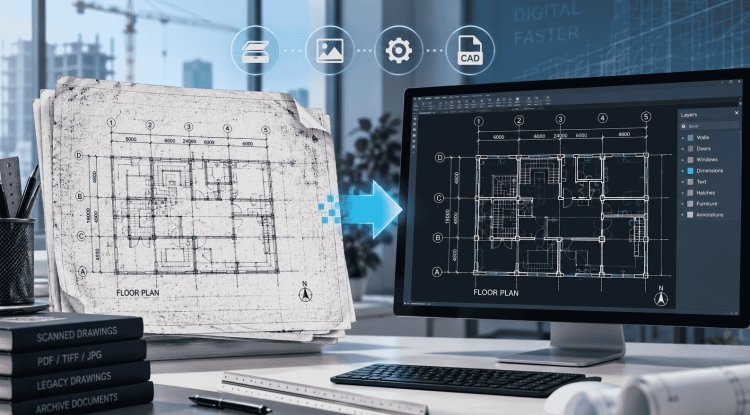
Across manufacturing plants, construction firms, and engineering archives worldwide, there are millions of technical drawings that exist only as paper originals or low-resolution scans. These documents carry critical engineering data — but in a form that modern CAD workflows simply cannot use directly.
The Problem with Raster Data
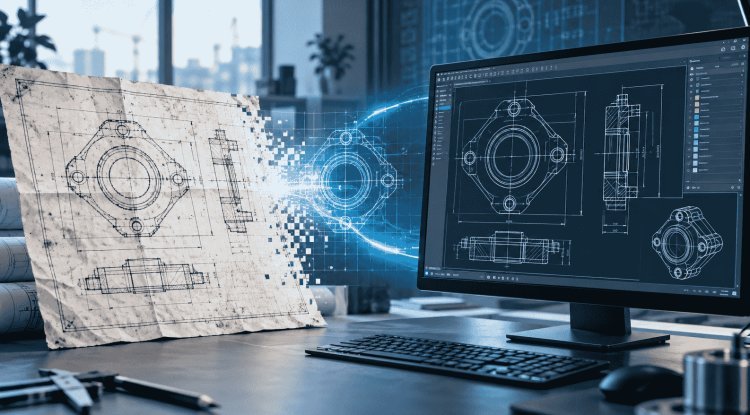
Scanned drawings are pixel-based images. They cannot be dimensioned, queried, modified, or incorporated into CAD projects without first being converted into vector geometry. Manual re-drafting from scans is slow, error-prone, and expensive.
What Raster-to-Vector Conversion Does
Specialized raster editing software — such as CSoft's WiseImage — enables professionals to clean, enhance, and intelligently convert scanned drawings into editable CAD formats. Lines, arcs, and geometry are extracted automatically, preserving engineering intent while eliminating manual re-entry.
Practical Workflow Impact
WiseImage integrates with standard CAD environments and supports common formats including DWG and DXF. For engineering companies managing large drawing archives, this capability alone can eliminate weeks of manual drafting work per project cycle.
Professional CAD & Drafting: Where Precision Meets Productivity
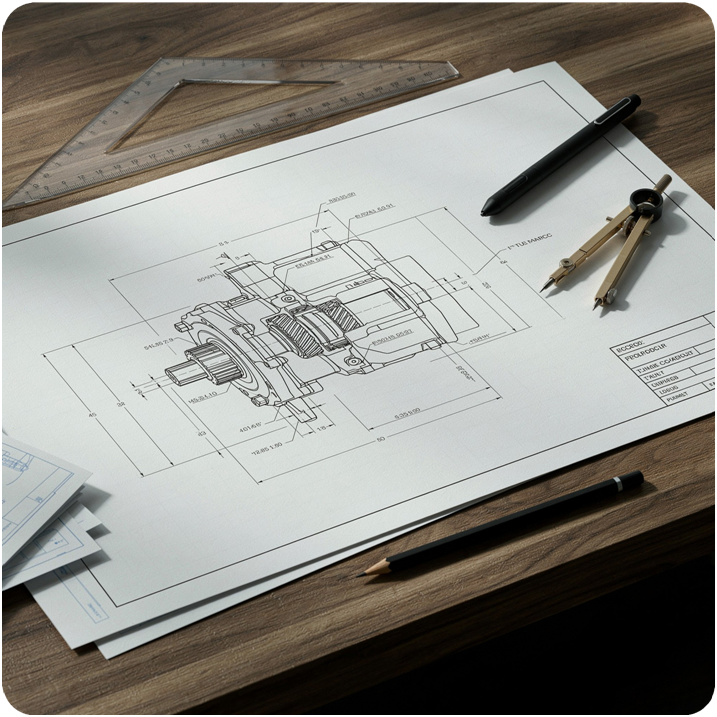
CSoft's WiseCAD is designed specifically for professional engineering drafting — combining the familiar command structure that CAD professionals expect with optimized performance for technical drawing workflows. It is not a general-purpose illustration tool; it is purpose-built for engineering precision.
Technical drawing remains the universal language of engineering. Whether specifying tolerances for a machined part, laying out a structural plan, or documenting an assembly, the accuracy and clarity of technical drawings directly determine manufacturing quality and project success.
What Modern CAD Professionals Need
Standards Compliance
Support for ISO, ANSI, GOST, and other international drafting standards
Interoperability
Native DWG/DXF compatibility to work across teams and tools without conversion overhead
Drafting Efficiency
Intelligent automation for repetitive geometry, annotation, and dimensioning tasks
Common Challenges Professionals Face — and How to Address Them
Across engineering disciplines, a consistent set of workflow problems recurs regardless of industry sector. Recognizing these challenges is the first step toward making informed decisions about software investment.
Defects Found Too Late
Casting and manufacturing defects identified during or after production — rather than in the design phase — lead to scrapped parts, rework costs, and delayed delivery schedules.
Inaccessible Legacy Data
Engineering knowledge locked in paper or scanned drawings cannot be queried, modified, or reused without extensive manual re-drafting effort.
Interoperability Gaps
Proprietary file formats and incompatible software versions create friction between teams, causing data loss and version control problems.
Knowledge Concentration Risk
Critical process knowledge — especially in foundry and specialized manufacturing — often resides with individual experts, creating a single point of failure when staff turn over.
Scalability of Manual Processes
Re-drafting, physical prototyping, and manual verification workflows do not scale as project volume increases — costs and timelines grow disproportionately.
Choosing the Right Engineering Software: What to Evaluate
Selecting engineering software is a long-term decision with implications for workflow productivity, data integrity, and total cost of ownership. Before committing to any platform, engineering teams and technical decision-makers should evaluate the following criteria carefully.
Functional Fit
Does the software address your specific workflow stage — simulation, drafting, or data conversion? Generalist tools often underperform in specialized engineering contexts.
File Format Compatibility
Confirm native support for your required formats (DWG, DXF, raster formats) and validate that no data degradation occurs during import/export cycles.
Integration with Existing Workflows
Software that cannot fit into your current toolchain creates hidden costs. Evaluate how the tool connects with your CAD environment, PDM system, or ERP platform.
Support, Training & Licensing
Assess vendor responsiveness, documentation quality, training availability, and licensing flexibility — especially for multi-seat or enterprise deployments.
CSoft's Specialized Portfolio
PoligonSoft
FEM-based casting simulation for foundry engineers — identify shrinkage, porosity, and thermal defects before production begins.
WiseCAD
Professional CAD software for technical drafting and engineering design, with native DWG support and standards compliance.
WiseImage
Raster editing and raster-to-vector conversion software for transforming scanned drawings into editable CAD data.
Engineering in the digital era demands tools that match the precision of the work itself. Whether you are optimizing a foundry process with simulation, modernizing a drawing archive, or building technical documentation to international standards, the right specialized software makes the difference between workflows that scale and ones that stall. Explore CSoft's engineering software portfolio to find the solution that fits your professional requirements.



0 Comments
What do you think?
Please leave a reply. Your email address will not be published. Required fields are marked *